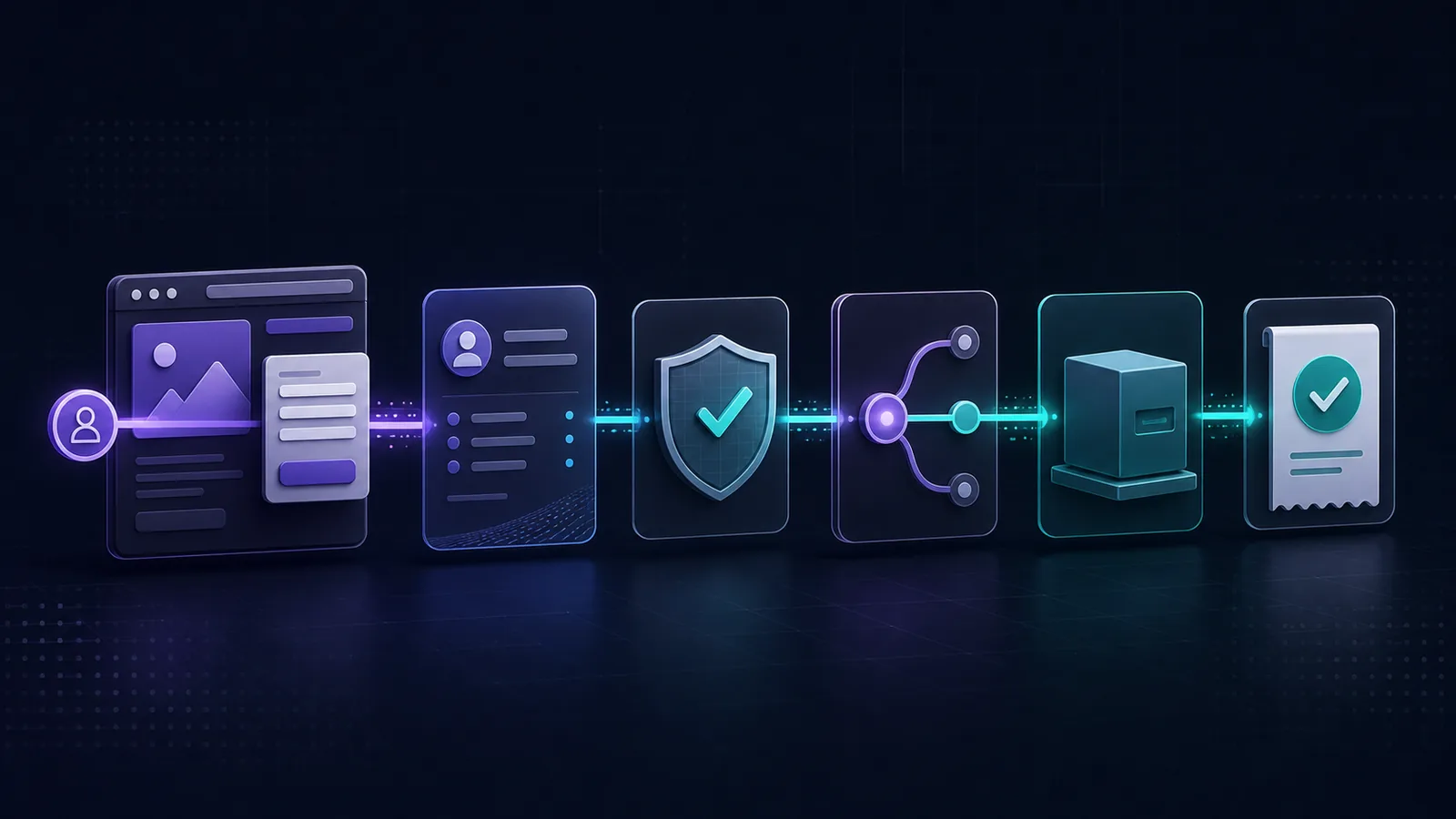
What should lead tracking software record?
Lead tracking software should preserve seven connected facts: marketing Source, capture Intake, the first-party Lead, validation evidence, the routing decision, each Delivery attempt, and reporting Data Freshness. Together, these facts answer where an inquiry came from, what was received, whether it was safe to route, which Destination was selected, and whether the handoff produced an observable outcome.
A platform that stops at visits or form submissions cannot prove qualification or Delivery. A CRM that begins after assignment may miss the original source and capture evidence. The useful system boundary is the complete, auditable path between those points.
| Fact to retain | Question it answers | Useful evidence | What it does not prove |
|---|---|---|---|
| 1. Marketing Source | Which observed campaign, referrer, or channel is connected to the inquiry? | UTM fields, click IDs, landing page, referrer, and attribution method. | Contactability, qualification, or successful Delivery. |
| 2. Capture Intake | Which configured entry point received the raw submission? | Form or provider identifier, transport, business, Location, and received time. | That every submitted value is safe, valid, or relevant. |
| 3. First-party Lead | What durable inquiry did the business receive? | Normalized contact paths, Interest, business ownership, consent, and provenance. | That the person is reachable or ready to buy. |
| 4. Validation evidence | Is the Lead contactable and safe to route under current policy? | Validation Checks, confidence, normalized values, reasons, and overall outcome. | Purchase intent or downstream acceptance. |
| 5. Routing decision | Which Business, Location, and Destination should receive the Lead? | Matched rules, selected targets, exclusions, and decision time. | That the selected target received or processed anything. |
| 6. Delivery attempt | What happened when one Lead was forwarded to one Destination? | Connector, attempt time, outcome, retry state, and sanitized response evidence. | That a salesperson acted or a later CRM stage completed. |
| 7. Data Freshness | How current is each number, and which system owns it? | Source system, reporting period, processed-through time, and known lag. | That separate systems have identical counts or processing schedules. |
What is the lead tracking process?
A reliable process follows the object that changes at each stage. A browser visit supplies traffic context. A selected form or provider submission enters through an Intake. The system creates a first-party Lead, runs validation, chooses a Destination, and creates one Delivery record for each attempt to forward that Lead.
Observe
Preserve the landing page, referrer, campaign fields, and exact attribution method that were available when the inquiry occurred.
Receive
Identify the Intake, transport, Business, and optional Location that accepted the raw submission before normalization.
Decide
Keep Validation Checks and the overall Validation Outcome separate from marketing attribution or a generic engagement score.
Prove
Retain the selected Destination and every Delivery outcome so routing does not end with an unverified “sent” state.
Current product categories cover different portions of this process. WhatConverts describes tracking calls, forms, chats, and ecommerce activity, then connecting those Leads to marketing data and customer journeys on its lead tracking product page. CallRail's Lead Attribution report documentation describes a combined view of raw and qualified Leads across tracked calls, texts, and form submissions. Those are vendor-documented product scopes, not evidence that every buyer needs the same workflow.
Why should Source and Intake stay separate?
Source is the marketing origin of a Lead. Intake is the configured entry point that received the raw submission. A paid search campaign can be the Source while a website form Intake receives the payload. A partner can be the Source while a JSON webhook Intake receives the same shape of Lead.
Keeping the two fields separate prevents operational changes from rewriting marketing history. Replacing a form provider or webhook endpoint should not change the campaign evidence attached to prior Leads. Likewise, one Intake should not become the Source merely because it was easier to observe than the upstream campaign.
The Lead Source attribution guide explains how explicit payload evidence, first-party browser evidence, and unknown attribution can coexist without pretending that a nearby session proves identity. When several plausible visits lack an exact key, “unattributed” is more accurate than a confident guess.
What belongs in the first-party Lead record?
The first-party record should retain the inquiry the business actually received, including normalized contact paths, the Lead's Interest, Business ownership, optional Location, consent evidence where applicable, capture time, and provenance. Raw values may be needed for audit or reprocessing, but access and retention should be limited to the operational purpose.
Nimbata's current form tracking page describes capturing form submissions, connecting them to sources, applying qualification rules, and pushing qualified form Leads to a CRM or Google Ads. That illustrates why capture, attribution, qualification, and downstream activation are separate jobs even when a vendor places them in one product.
Lucidity uses a Tracking Pixel to observe selected website forms and creates Leads through normal Intakes. The form tracking software guide compares that job with analytics-only, CRM-native, attribution, and call-plus-form tools. It is useful to settle the capture boundary before comparing dashboards.
How should qualified Lead tracking work?
Qualified Lead tracking should retain evidence, policy, and outcome separately. A Validation Check can evaluate phone, email, name, address, duplicate, or Source signals. A Validation Run combines those checks into an outcome such as qualified, review, blocked, or error.
This is different from a marketing score. Contact validation asks whether a person can probably be reached safely. Intent scoring asks how valuable or ready the inquiry may be. A weak field should not automatically erase a reachable person, and an external validation error should not become proof that a Lead is bad.
Use the 12-check qualification checklist to define field evidence, review rules, and route readiness. The qualification software guide compares validation, explicit rules, profile fit, behavior, prediction, and conversation analysis without collapsing them into one universal score.
What must software retain after qualification?
After a Lead qualifies, the software should record how it resolved the Business, optional Location, and Destination. It should then create a distinct Delivery for each attempt to forward the Lead. A selected Destination is a routing decision. A Delivery is the attempt and its outcome.
This distinction matters when a Connector times out, returns a transport error, or accepts the request without proving that a downstream salesperson acted. Safe retry controls should avoid creating duplicate work while preserving the history of each attempt. Error evidence should be useful for operators without copying secret headers, full payloads, or personal contact data into logs.
The Lead Delivery software guide provides a transport-neutral outcome model. The lead routing software guide separates Destination Delivery from phone-flow routing, meeting routing, and CRM ownership assignment.
Why does Data Freshness belong in every report?
A lead report is incomplete when its numbers lack a processed-through time. Lucidity Leads, Validation Runs, and Deliveries are first-party operational facts. GA4 is traffic context with its own processing schedule and attribution rules. The two systems can answer different questions and refresh at different times.
Google's GA4 Data Freshness documentation says processing can take 24 to 48 hours and report data may change during that time. Google also says attribution credit for key events can change for up to 12 days as key event modeling improves. Separately, Google's attribution documentation explains that attribution models assign credit to touchpoints and that conversions can be reattributed after the conversion.
Which lead tracking metrics are useful?
Useful metrics preserve a defined numerator, denominator, source system, and time window. Start with received Leads, then count how many reached each Validation Outcome and how many created Delivery attempts. Report the rates only after publishing those definitions beside the numbers.
- Qualification rate: qualified Leads divided by first-party Leads received in the same period. Keep review, blocked, and error outcomes visible rather than removing them from the denominator.
- Delivery success rate: successful Deliveries divided by Delivery attempts for the stated Lead set. If one Lead can have several Destinations, say whether the denominator counts Leads or attempts.
- Attribution coverage: Leads with stored Source evidence divided by first-party Leads received. Separate explicit evidence from fallback attribution and unknown Source.
- Review rate: Leads held for human review divided by received Leads. A rising review rate is an operating signal, not automatic proof that traffic quality declined.
- Time to first Delivery attempt: elapsed time from the Lead's received timestamp to the first Destination attempt. Segment failures and deliberate review holds instead of blending them into one average.
Marketing sessions, users, channel credit, and key events remain useful GA4 context. They should not replace the first-party denominators used for Lead quality and Delivery operations. When the two systems disagree, compare ownership, eligibility, identity keys, time zones, attribution logic, and Data Freshness before changing either implementation.
Which software category do you actually need?
Lead tracking platform
Choose this category when the missing record spans Source, capture, qualification, routing, and Delivery evidence.
CRM pipeline management
Choose this category when the Lead already exists and the primary job is ownership, activity, opportunity stages, forecasting, and revenue.
Call tracking and intelligence
Choose this category when dynamic numbers, recordings, transcripts, call flows, or conversation analysis are required. Lucidity does not replace those capabilities.
Web analytics and attribution
Choose this category when the main question is traffic behavior or channel credit, not first-party contact validation and Destination Delivery.
How should lead tracking software handle privacy?
Collect only the fields needed for the stated lead workflow. Exclude sensitive forms unless the system, policy, consent model, and access controls are explicitly designed for them. Limit who can view personal contact fields, separate operational records from analytics events, and define retention and deletion behavior before deployment.
Google prohibits customers from sending personally identifiable information to Google Analytics. Its PII implementation guidance specifically warns about email addresses, personal mobile numbers, page URLs, titles, search fields, and form-entered values. Send event names and non-identifying business context to analytics only when appropriate. Keep names, email addresses, phone numbers, and the auditable Lead payload in the first-party operational system.
What should be on a lead tracking software checklist?
- Define the tracked object. Decide whether the system tracks visits, calls, forms, first-party Leads, CRM records, or several linked objects.
- Publish source precedence. State when explicit payload attribution, click identifiers, browser evidence, or unknown attribution wins.
- Keep Source and Intake separate. Preserve marketing origin without confusing it with the endpoint or form that received the submission.
- Make qualification inspectable. Retain Validation Checks, reasons, confidence, policy version, outcome, and any human override.
- Record routing inputs. Show how Business, Location, and Destination were selected, including exclusions and fallback behavior.
- Store each Delivery outcome. Distinguish selected, attempted, accepted, failed, retrying, and exhausted states without claiming downstream sales activity.
- Label freshness and ownership. Name the source system and processed-through time beside every metric or reconciliation.
- Test the privacy boundary. Use synthetic data, exclude sensitive forms, prevent PII from entering analytics, and keep secrets and payloads out of logs.
Where does Lucidity fit?
Lucidity is the pre-CRM control layer for businesses and agencies that need to capture first-party website inquiries, run Lead Validation, route qualified Leads to Destinations, and inspect each Delivery outcome. Workspaces own Businesses, Intakes, Destinations, Google Connections, and access. GA4 Property Links add traffic context for a Business without replacing Lucidity's Lead and Delivery facts.
Lucidity is not call tracking, conversation intelligence, or a replacement for downstream CRM pipeline management. Its role is narrower: retain the evidence between an observed website inquiry and an auditable Destination handoff, with clear qualification and freshness boundaries.
Trace one Lead from Source to Delivery
Bring one approved website form, your qualification rules, and one Destination. See how Lucidity preserves attribution context, Validation evidence, the routing decision, and the resulting Delivery outcome.
Request a Source-to-Delivery walkthrough