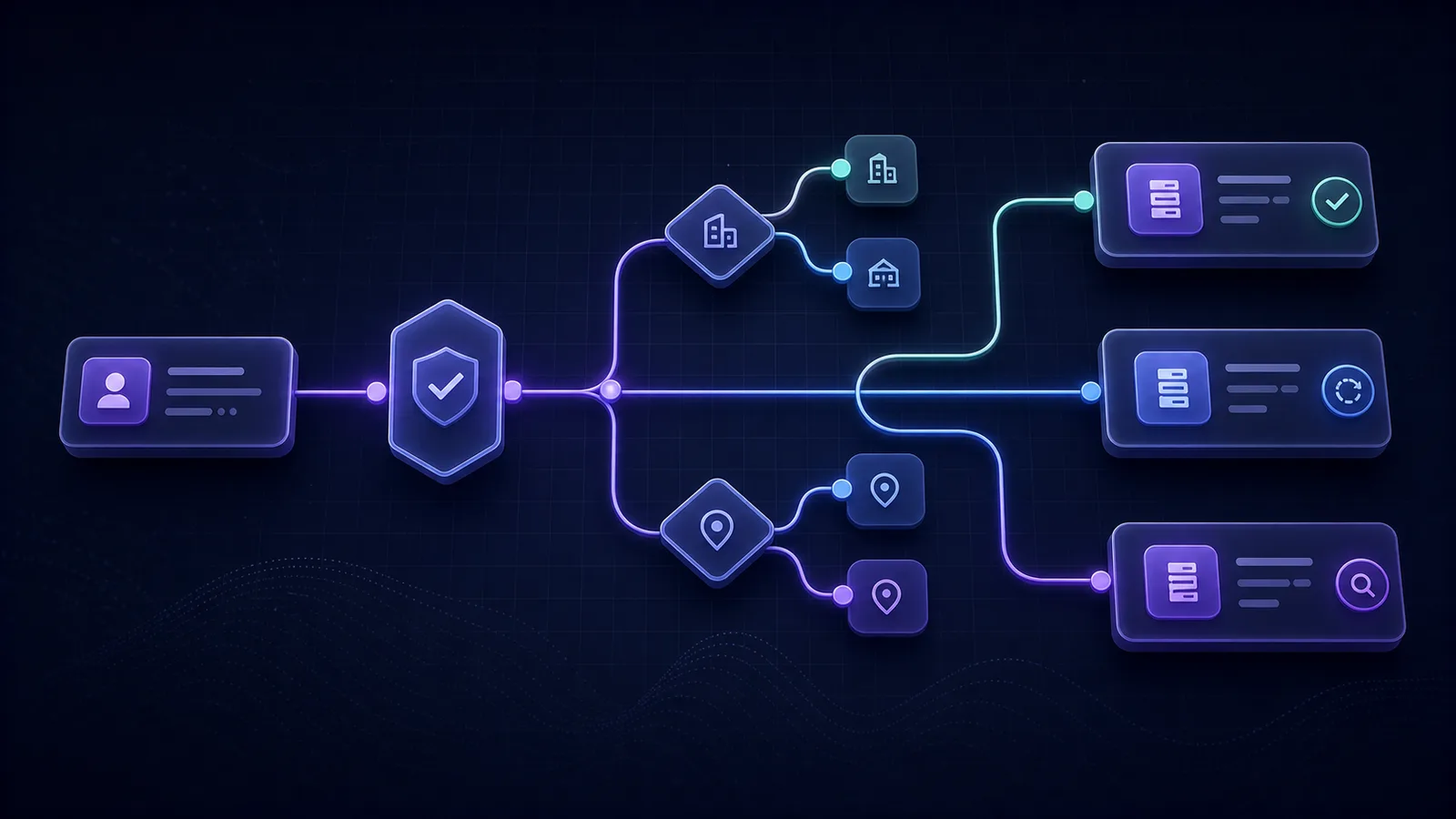
What are the best practices for lead routing?
Reliable lead routing has four boundaries: decide whether the Lead is qualified, resolve the correct Business and Location, choose an active Destination, and record the result of the handoff. The strongest operating model makes those decisions deterministic, protects retries with an idempotency key, and alerts on missing or failed Delivery evidence. Assignment alone is not proof that a Lead reached the next system.
| # | One-sentence rule | Measurable failure signal |
|---|---|---|
| 1 | Define the Business, optional Location, Destination, and owner of each routing decision. | Accepted Leads with a missing or ambiguous routing target. |
| 2 | Allow automatic routing only after Lead Validation returns a forwardable outcome. | Delivery attempts created for review, discarded, or errored Leads. |
| 3 | Give every rule explicit precedence, a catch-all action, and a reason code. | Leads matching no rule, several equal rules, or an undocumented fallback. |
| 4 | Name whether the workflow assigns a rep, routes a live call, or delivers a Lead to a system. | A routing success metric that mixes ownership, answered calls, and system handoffs. |
| 5 | Check Destination configuration and availability before it receives production Leads. | Failures caused by disabled users, expired authorization, or invalid endpoints. |
| 6 | Reuse one stable idempotency key for retries of the same Lead-to-Destination handoff. | Multiple downstream records for one intended handoff. |
| 7 | Record a separate Delivery attempt with time, target, status, and safe response evidence. | Leads marked routed without a corresponding Destination attempt. |
| 8 | Retry transient failures with a bounded backoff and stop on permanent errors. | Retry storms, repeated client errors, or attempts beyond the retry budget. |
| 9 | Set service levels for validation, routing, Delivery, and human follow-up separately. | Pending work older than its stage-specific threshold. |
| 10 | Replay representative cases after every rule change and review exception trends on a fixed cadence. | A rising unmatched, fallback, reassigned, or failed-Delivery rate. |
Run a pass/fail routing audit
Use synthetic inquiries and a controlled test destination, never a real customer's record. These are operating requirements to test in your chosen stack, not a claim that Lucidity provides every routing feature. Record the result, evidence, and owner for each check before enabling a new route.
| Test input | Pass evidence | Action if it fails |
|---|---|---|
| Qualified inquiry, one enabled destination | A delivery identifies that destination and its outcome. | Check business association, configuration, and queue health. |
| Ambiguous validation, held for review | No automatic delivery; an operator can inspect the reasons. | Stop the automatic route and correct the qualification gate. |
| Disabled destination | No new attempt is sent there. Other enabled targets follow the configured policy. | Check target selection before processing more leads. |
| Destination temporarily unavailable | The failed outcome remains visible; recovery creates separate evidence. | Restore destination health, check uncertain outcomes, then control the next attempt. |
| Receiver accepts but sender times out | Reconciliation or an idempotent retry does not create a second downstream object. | Hold for review if the receiving API cannot safely reconcile; do not blindly resend. |
| Two enabled destinations in Lucidity | Default forwarding records each destination separately, even when only one succeeds. | Inspect each destination's history rather than counting one lead-level success. |
The dashboard failure-and-recovery example shows what retained attempt history looks like. If you are still choosing software rather than testing a route, use the routing category buying guide.
Which routing job are you actually solving?
“Lead routing” names several different jobs. Treating them as one workflow makes both rules and success metrics unclear.
Sales-rep assignment
Sets the owner or team for a CRM record. Chili Piper Distro, for example, describes rules for Salesforce records, account matching, ownership, audit logs, and rep service levels on its official product page.
Live call routing
Directs a phone session while the caller waits. CallRail documents menus, round-robin queues, simultaneous calls, schedules, and geo-routing in its Call Flow Builder.
Destination Delivery
Forwards one qualified Lead to a configured CRM, webhook, email recipient, dialer, or other Destination. In Lucidity, each attempt is a separate Delivery with its own outcome.
A workflow can use all three, but it should not report them as the same event. A rep owner can be assigned while a system handoff fails. A call can reach a queue while no one answers. A Destination can accept a Lead without proving later sales follow-up. Name the boundary before choosing the metric.
How should rules decide where a Lead goes?
1Define the ownership path
Write the routing hierarchy in domain terms before implementing conditions. A Lucidity Workspace owns access and Google connections. A Business is the reporting unit. A Location is a physical branch. A Destination is the configured target that receives qualified Leads. Decide which layer owns each rule and who approves changes.
Do not infer a Business or Location from a campaign label. Use explicit ownership; the source attribution guide covers the separate marketing evidence.
2Route only qualified Leads
Put Lead Validation before automatic Delivery. A Validation Run should evaluate
contactability and safety, then produce an explicit outcome such as
qualified, review, blocked, or
error. Lucidity displays the API's blocked state as
Discarded. Only a forwardable outcome should cross the automatic
routing gate. An ambiguous or incomplete Lead belongs in review, not in a silent
discard path.
Use the lead qualification checklist to define field, duplicate, source, and business-fit checks. The goal is not to invent one universal score. It is to make the decision and its evidence inspectable.
3Make every rule deterministic
Give each condition a documented order, result, and reason. Define what happens when several rules match, when required data is missing, and when no rule matches. Use a deliberate catch-all action such as review or a named fallback Destination. Never let file order or an undocumented default decide a production handoff.
Current LeadAngel documentation exposes the same operational need from a CRM-routing perspective: its router supports assignment conditions, fallback paths, inactive-owner handling, and processing when no routing logic applies. Its Lead Router guide is a useful example of making those branches explicit.
4Name the routing job
Label every workflow and dashboard as rep assignment, call routing, or Destination Delivery. If a broader business process combines them, retain a separate event and denominator for each stage. That prevents “routed” from becoming a vague success state that no operator can audit.
How do you make each handoff reliable?
5Check Destination readiness
Validate the configuration before enabling a Destination: endpoint shape, authorization, required fields, connector availability, and a safe synthetic test. Define whether an inactive owner, closed branch, or unavailable downstream system should trigger a fallback, a retry, or review.
LeadAngel's routing troubleshooting lists inactive routers, inactive users, and leads that match no assignment rule as concrete causes of unassigned work. The product is different from Lucidity, but the operating lesson transfers: readiness must be observed, not assumed.
6Make retries idempotent
Generate one stable idempotency key for the intended Lead-to-Destination handoff and reuse that key when the same work is retried. Do not generate a fresh business operation on every queue attempt. Bind the key to the original Lead and Destination so it cannot be reused for a different handoff.
AWS's current idempotent operations guidance recommends client tokens so repeated requests can have the same intended effect as a single request. That control matters when a network failure leaves the sender unsure whether the downstream mutation already happened.
7Record every Delivery attempt
Create a Delivery boundary for each Lead and Destination attempt. Retain the attempt time, target, status, response code where applicable, and a sanitized error reason. Do not store secret headers, full webhook bodies, or personal contact data in logs.
Keep “attempt accepted by the transport” separate from “downstream business process completed.” A successful webhook response can prove the receiving endpoint accepted the request. It cannot prove a salesperson contacted the Lead or a later CRM workflow completed unless that system sends separate evidence.
8Retry only transient failures
Classify errors before retrying. Timeouts, throttling, and temporary service unavailability may justify a retry. Invalid credentials, malformed payloads, or a deleted Destination usually need an operator or configuration change. Use increasing waits, add jitter, cap the number of attempts, and expose terminal failure.
AWS's retry with backoff pattern distinguishes transient failures from fail-fast cases and warns that frequent retries can worsen service degradation. It also requires the operation to be idempotent before automatic retry is safe.
How do you keep routing healthy after launch?
9Escalate against explicit service levels
Define separate clocks for validation, route resolution, Destination Delivery, and human follow-up. The right threshold depends on the business, channel, hours, and destination. Publish the owner and escalation action for each clock instead of using one generic speed-to-lead number.
Chili Piper Distro publicly describes service levels, reminders, reassignment, and detailed record journeys. LeadAngel also documents time-based escalation and reassignment. These vendor examples concern sales ownership. For Destination routing, the same discipline should alert on a pending or failed Delivery without pretending that system Delivery and rep follow-up are the same event.
10Review rules with replayable cases
Keep a synthetic case set that covers the main Business, Location, Source, duplicate, qualification, fallback, and Destination-health branches. Replay it before publishing a rule change. After launch, review actual exception trends on a fixed cadence using sanitized evidence.
LeadAngel's Visual Lead Flow shows the route a CRM Lead took through assignment blocks, while its routing reports group distribution by assignment block, sales team, weighted team, and territory. Whatever system you use, retain enough route and outcome evidence to answer the same operational questions: which branch ran, why it ran, and what happened next?
What should a monthly routing review contain?
- Accepted Leads by Business, Location, Source, and Intake.
- Validation Outcomes with the denominator and rule version stated.
- Matched, unmatched, multi-match, fallback, and manual-override routes.
- Active and unhealthy Destinations, including configuration-failure reasons.
- Pending, succeeded, and failed Deliveries by Destination and connector.
- Duplicate handoff attempts grouped by stable idempotency key.
- Retry count, age, error class, terminal outcome, and exhausted retry budget.
- Stage-specific service-level breaches and escalation results.
- Rule changes, replay results, owner, approver, and rollback decision.
Record operational results from the system that performed each action. The lead quality guide shows how to keep those decisions evidence-based without discarding reachable people on one weak field.
How does Lucidity make the handoff auditable?
Lucidity receives a first-party Lead through an Intake, runs Lead Validation, and allows only qualified Leads through automatic Delivery. The Business, optional Location, Destination, and each Delivery attempt remain distinct records. Delivery status is derived from the actual attempts, not inferred from campaign activity in GA4.
That model gives operators the questions they need to debug a route: Was the Lead qualified? Which Destination was selected? Was the handoff attempted? Did it succeed, fail, or remain pending? A later CRM outcome can be connected separately without rewriting the original first-party evidence.
Audit one Lead from validation to Delivery
Bring one real routing rule and one Destination. See how Lucidity keeps the qualification decision, target, attempt, and outcome separate and inspectable.
Request a routing audit walkthrough